Please watch the video first before you get started:
1. Create an account in https://aws.amazon.com. Set that as basic free tier account (personal account). role as developer or anything. You need to enter credit card info. But that’s fine, they won’t charge you except $1.
Sign up free account.

Select Basic Plan..Do NOT select developer plan unless you would like to pay every month.

2. Create an account on all three below SCM tools using your email address.
3. Setup Jira account - https://www.atlassian.com/software/jira/free
4. Download and Setup VS Code on your local machine(laptop or computer) by following below link:
5. Start learning Linux Basics:
Sign up for Linux Basics courses in https://www.udemy.com/topic/linux-administration/
6. Learn Agile/DevOps
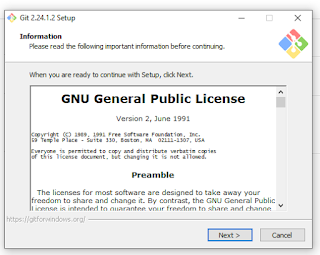
7. If you are using windows laptop, Install Git client on your laptop by downloading from http://www.git-scm.com/download
 Click on download, once downloaded. Go to downloads directory and click on the EXE.
Choose all options by default by clicking on Next and NExt
8. Only if you are using Macbook pro or iMac desktop, please download iTerm from https://www.iterm2.com/downloads.html. for windows laptop, ignore this step.
Download the iTerm2**.zip file and install iTerm on Mac.


Choose all options by default by clicking on Next and NExt

8. Only if you are using Macbook pro or iMac desktop, please download iTerm from https://www.iterm2.com/downloads.html. for windows laptop, ignore this step.
Download the iTerm2**.zip file and install iTerm on Mac.


Thank you for posting.
ReplyDeleteDecOps & Cloud Course Videos
This comment has been removed by a blog administrator.
ReplyDelete